Some PC games still ship without controller rebinding. System-wide tools let you rebind controller buttons Windows-wide, and similar Mac utilities exist, so layouts stay consistent across stubborn titles.
Remapping is also an accessibility bridge when default layouts are painful. Verify physical indexes in a browser tester so you remapped the control you think you did.
How do global remapping tools work?
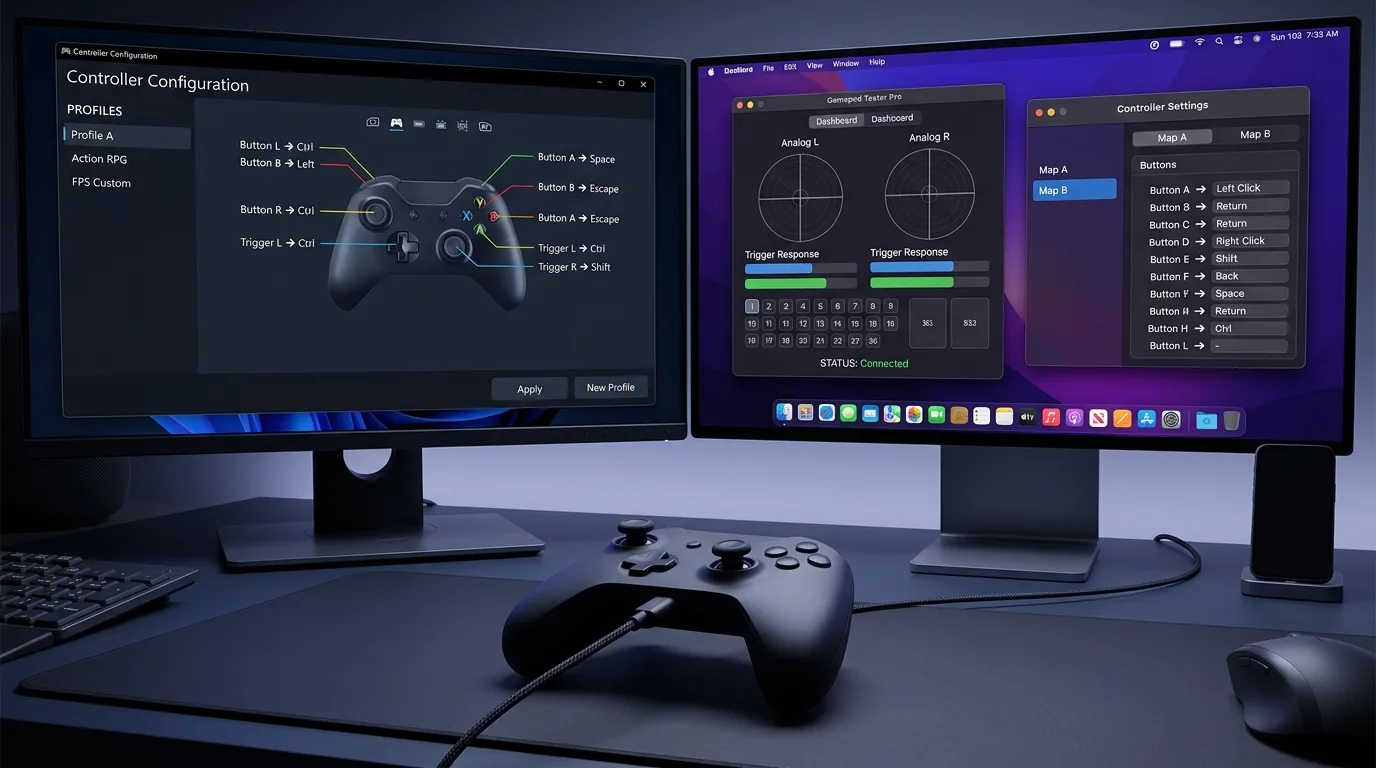
Utilities such as JoyToKey, reWASD, or Steam Input translate pads to keys or virtual XInput devices. Map carefully to avoid double-binds where both the original and remapped signals fire.
Confirm physical indexes on Controller Button Test before building complex profiles.
Windows remapping workflow
- Prove the pad works raw in Controller Tester.
- Choose one remapper and close competing tools.
- Create a profile that only changes the buttons you need.
- Test in Notepad or a simple menu first, then in-game.
- Disable the profile for titles with good native rebinding.
Mac considerations
Mac remapping options differ by macOS version and pad family. Prefer tools that clearly support your device. Always retest after OS updates because input permissions can reset.
Accessibility gamepads and adaptive kits
Accessibility gamepads and adaptive kits with external buttons help players with limited mobility. Combine hardware flexibility with software remaps instead of forcing painful default layouts. Keep verification simple: one action at a time on a button tester.
Pitfalls that create worse problems
- Two remappers running at once
- Steam Input plus a system remapper on the same title
- Profiles that remap sticks when only face buttons were needed
- Forgetting to turn profiles off for competitive anti-cheat titles that disallow them
Frequently asked questions
Is system-wide remapping allowed in every game?
No. Some online titles restrict input remappers. Check that game?s rules before ranked play.
Can remapping fix stick drift?
No. Remapping changes button routing. Drift needs cleaning, deadzone, or hardware service.
Should I remap triggers to mouse clicks?
Some players do for shooters. Verify travel on Controller Tester so thresholds match what you feel.
What is the safest first remap?
Swap two face buttons you consistently mis-hit, leave sticks alone, and test in a single-player menu.
Do I need XInput wrappers too?
Only if the game ignores DirectInput pads. Fix mode or wrapping after basic remaps are stable.
Next steps
One tool, one profile, verified indexes. Complexity without measurement creates support nightmares.
Profile hygiene for remappers
One active remapper, clearly named profiles, and per-game enablement beat a single global monster profile. Export backups before experiments.
Verify indexes on Controller Button Test whenever a profile “randomly” stops matching physical buttons.
Accessibility-focused remaps
Move high-frequency actions to the strongest fingers or external adaptive buttons. Reduce chord complexity. Test in low-stakes menus first, then real gameplay.
Anti-cheat and policy awareness
Some online titles restrict input remappers. Keep a clean native profile for those games. Remapping sticky hardware does not replace repairing sticky hardware on Controller Tester.
Intent map for rebind buttons queries
People who land on this page from Google usually want a direct answer about rebind buttons, then a trustworthy path for system-wide remap. This section expands that intent with practical detail you can reuse on PC, and where relevant on console-style pads brought to Windows.
Start by proving the device is visible. Open Controller Detection and press any button. If detection fails, stop reading advanced tips and fix cables, pairing, or power first. If detection succeeds, move into Controller Tester for a full control family pass, and use Controller Button Test when only digital controls are in doubt.
For issues tied to system-wide remap, keep a quiet idle ritual on Stick Drift Test when sticks matter. Games lie with deadzones. Browser idle samples do not. Write the worst reading you see, plus whether you were on USB or Bluetooth.
Readers comparing SERP results for rebind buttons need more than a definition. They need a sequence that survives messy real desks: weak cables, busy Bluetooth neighborhoods, and games that hide symptoms.
Unique to this topic: treat rebind buttons as the primary promise of the page, use system-wide remap as the diagnostic lens, and only escalate to anti-cheat limits after accessibility pads checks are honest.
Do this in order when anti-cheat limits complicates things
- Reproduce the problem once so you know the starting symptom related to rebind buttons.
- Switch to USB when possible to remove radio noise from the experiment.
- Confirm OS-level presence, then confirm browser presence on Gamepad Tester.
- Run the focused checks that match accessibility pads for this topic.
- Change one variable at a time and retest after each change.
- Stop when three matching samples agree, not after a single scary spike.
Clear steps, honest limits, and a next action reduce the chance you buy replacement hardware for a permissions, cable, or mode-switch problem tied to rebind buttons.
When anti-cheat limits enters the story, keep notes. Firmware updates, Steam overrides, and vendor apps change behavior overnight. A dated baseline on Gamepad Tester turns guesswork into comparison.
When system-wide remap is the pain point, isolate it from unrelated issues. A sticky bumper can feel like lag. A mode switch can feel like a dead pad. Measure before you spend.
For accessibility pads, keep vendor myths out of the first hour. Official firmware tools and clean OS detection beat random registry tips.
Retest triggers that matter for this topic
After travel, spills, OS updates, or a used purchase, rerun a short health pass: detection, buttons, idle sticks, triggers, then optional rumble. That routine catches regressions early for anything related to rebind buttons and anti-cheat limits.
If results conflict between Bluetooth and USB, trust USB for hardware judgment and treat wireless as a separate radio project. If results conflict between a game and the browser, trust the browser for raw presence and investigate the game layer next.
Bookmark Controller Detection, Controller Button Test, Controller Tester, and Stick Drift Test. Reuse them whenever system-wide remap or accessibility pads shows up again instead of starting from forum folklore.
Finally, reconnect anti-cheat limits to your notes. If the next OS update changes behavior, your dated Gamepad Tester baseline shows what shifted.
Evidence pack for warranty or support
You should leave with a written symptom, a measured browser result, and a decision: keep playing, clean, remap, repair, or replace. That decision quality is what separates people-first guides from thin keyword pages about rebind buttons.
If you publish clips or ask for help, include the controller name string, connection type, browser, and the exact panel readings. Those four facts make remote advice useful for system-wide remap cases.
Return to this page after repairs. A second measured pass is how you confirm accessibility pads and anti-cheat limits actually improved, not just felt better for one match.
System-wide vs per-game remapping: which layer should own the change
Remapping lives at three layers, and picking the wrong one causes the classic symptom of a remap that works in one game and vanishes in another. The system layer (OS-level or driver-level remappers) changes what every game sees, which is ideal for accessibility needs or a permanently broken button. The platform layer (Steam Input) changes what Steam games see and travels with your Steam account across PCs. The game layer (in-game rebind menus) changes only one title. Rule of thumb: a broken or uncomfortable button gets a system or Steam-level remap; a preference for one game gets an in-game rebind. When a remap seems to disappear, check which layer you actually changed before assuming the tool failed — most "lost remap" reports are layer confusion, not bugs.
Remapping on Windows: Steam Input first, system tools second
On Windows, start with Steam Input: it covers nearly every pad, needs no extra install, and its per-game profiles switch automatically when you launch a title. Enable Steam Input for the game, open the layout editor, and rebind at the action level rather than swapping raw buttons — action-level binds survive pad swaps. For non-Steam games or desktop-wide needs, system-level remappers exist (vendor software from the pad maker first, reputable third-party tools second), but they run with elevated input privileges, so install only tools you trust and keep them updated. Test every remap in the Controller Tester view first: press the physical button, confirm the remapped output registers, and confirm no double input (both old and new actions firing) before launching a game.
Remapping on Mac: fewer tools, same discipline
Mac remapping has fewer mature options than Windows, so the discipline matters more. Steam Input works on macOS the same way as Windows and is the first choice for Steam games. Outside Steam, options are thinner: some pad vendors ship macOS configurators, and a few community tools exist, but each macOS update can break unsigned input tools, so prefer App Store or vendor-signed software and test after every OS update. The verification routine is identical: remap, then confirm in a browser tester that the physical press produces exactly the intended output and nothing else. A remap that works on Windows but not on Mac is usually a tool-availability gap, not a pad fault — document which tool you used per OS so you are not re-diagnosing the same gap twice.
Profiles, accessibility, and the anti-cheat warning
Three topics every remapping guide must cover honestly. Profiles: save one profile per need (standard play, one-handed or accessibility layout, fighting-game layout) and name them clearly, because an unnamed profile is a forgotten profile. Accessibility: remapping is assistive technology — moving Jump to a shoulder button or duplicating a hard-to-reach button onto a paddle can be the difference between playing and not playing, and that is a legitimate, celebrated use. Anti-cheat: some competitive games and anti-cheat systems flag system-level input tools, macros, and rapid-fire bindings — a simple 1:1 button swap is normally fine, but turbo, macro, or multi-action bindings can trigger bans in competitive titles. Check the game's rules before using anything beyond a plain remap in ranked play.
When a remap does not stick: the troubleshooting order
A remap that reverts has a short list of usual suspects, in order. One: two layers fighting — Steam Input and a system tool both remapping the same button, with the last-loaded one winning unpredictably; disable one layer. Two: the game overriding with its own binds — set the game to default bindings and let the platform layer own the remap. Three: profile not saved or not applied — confirm the profile name and that it is active for the launched game, not just created. Four: the tool not running at launch — some remappers must start before the game; check startup settings. Five: a firmware or driver update resetting vendor profiles — re-apply after updates and keep a screenshot or export of your working layout. Work the list top to bottom; most cases resolve at step one or two.
Frequently asked questions
Will remapping void my controller warranty?
A software remap never does — it changes no hardware. Opening the pad or soldering does, but rebinding buttons in Steam or vendor software is fully reversible and warranty-safe.
Why does my remap work on desktop but not in one game?
That game is almost certainly overriding bindings itself or running with Steam Input disabled. Set the game's binds to default and confirm Steam Input is enabled for that title, then retest.
Can I remap a broken button onto a working one permanently?
Yes — that is one of the best uses of system-wide remapping. Bind the broken button's action to a spare paddle, touchpad click, or rarely used button, verify no double input, and keep the layout as a named profile.
Comments
Comments are moderated. New comments stay hidden until an admin approves them.
No public comments yet. Be the first to leave a helpful note.