
How to Test Controller D-Pad on PC is about confirming every digital and analog control reports cleanly. Stuck, double firing, or silent buttons waste matches and make menus feel broken.
If you only need a ten second button blink test, any gamepad tester works. If you need to separate stick drift from Bluetooth noise, use the focused path below for How to Test Controller D-Pad on PC.
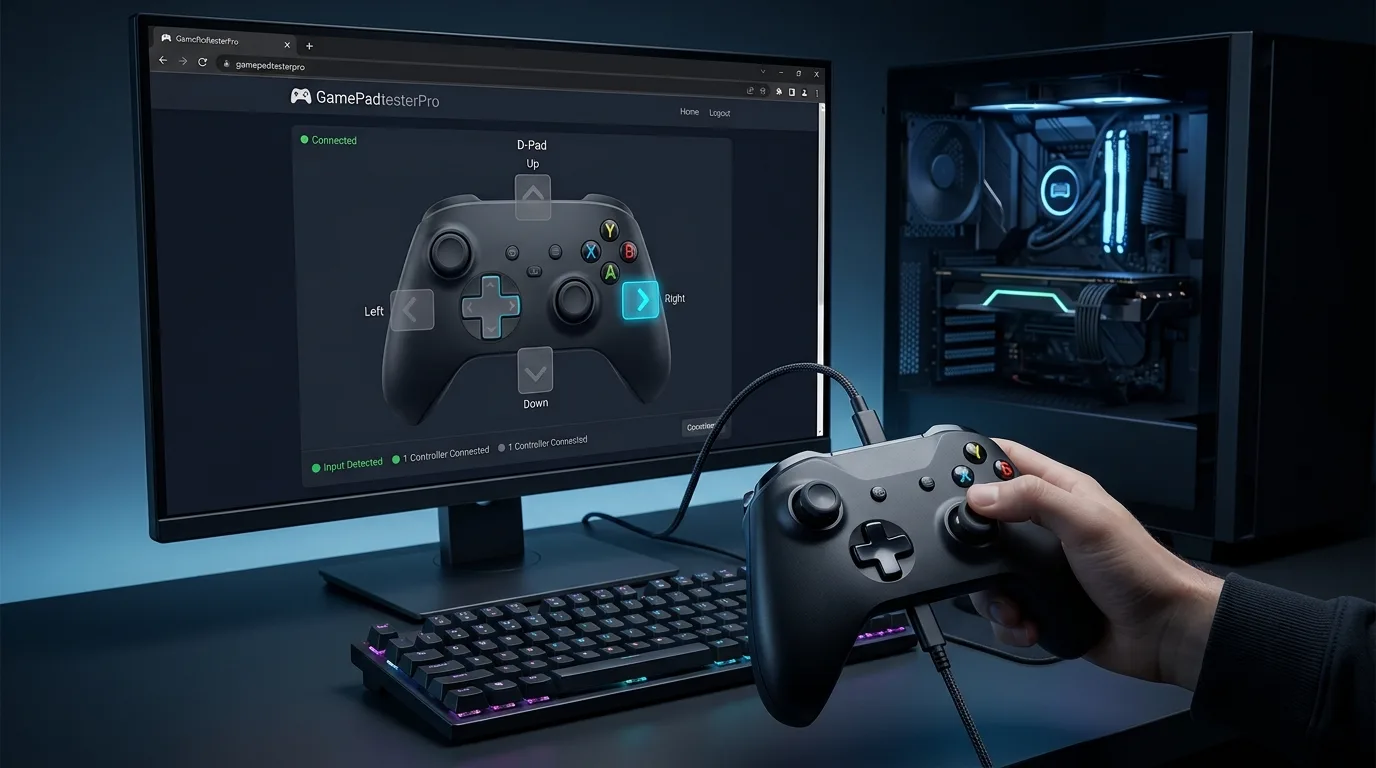
How Gamepad Tester presents axes and buttons for this topic.
What does this topic cover?
This walkthrough shows how to press one control at a time, read pressed state and values, and spot ghost inputs. Keep the session simple: one controller, one browser tab, and a clear goal for the check you are running.
- How to map presses to live button cards
- How analog triggers can appear as buttons
- What stuck or double press patterns look like
- When cleaning helps versus hardware failure
What gear and software should you check first?
Use a desktop browser with Gamepad API support such as Chrome, Edge, or Firefox. Connect with USB for the cleanest baseline, or finish Bluetooth pairing in the OS first if you must test wireless. Close games, Discord overlays, and exclusive capture tools that can lock the device. Open Gamepad Tester or a focused tool below, then press any button so the browser wakes detection.
Recommended tools for this topic:
Which order keeps the sample clean?
- Open Controller Button Test or Controller Tester.
- Press one face button and confirm pressed state flips cleanly.
- Release fully and confirm it returns to released near 0.
- Repeat for bumpers, stick clicks, start/select, and D pad directions.
- Watch for any index that stays pressed without touch.
- Note odd indexes on unknown mappings instead of forcing Xbox labels.
Press slowly. Rapid mashing can hide a button that sticks halfway between samples.
How do you judge the sample?
Healthy digital buttons jump near 0 and 1. A value that hangs mid range or flickers without touch needs attention. Double presses often show two spikes from one physical click. Take two or three samples a few minutes apart if the first reading surprises you. Consistency across samples matters more than a single scary spike.
Browser testers show what the Gamepad API exposes. A healthy reading is a strong signal, but it does not guarantee every native title will feel identical. On DualSense, Gamepad Tester can also use optional WebHID checks for touch pad drawing, adaptive trigger feel, speaker beep, and a simple PDF activity report when Chrome or Edge grants access over USB. Pair this page with Stick Drift Test, Vibration Test, and when you need permanent stick center or range writes, PS4 / PS5 Calibration.
Which tools match the current product?
The homepage Gamepad Tester and brand controller pages (PS5, PS4, Xbox, PC, USB, Bluetooth, arcade, flight) share one live dashboard. You get up to four controller slots, live sticks with circularity view, buttons, triggers, vibration pulses, optional DualSense touch pad and adaptive trigger checks, speaker or beep tests when supported, and a downloadable PDF summary after you exercise the pad.
- Four Gamepad API slots so a second, third, or fourth pad can connect without leaving the page.
- Stick reach / circularity visuals plus idle drift and deadzone explorers on focused tools.
- USB WebHID stick calibration for official DualShock 4 and DualSense pads when you need to write center or range after a module swap.
- Honest limits: browser rumble is not every native haptic, and Gamepad API alone cannot rewrite firmware maps.
Which noise sources confuse readings?
- Blaming the pad when the OS never finished Bluetooth pairing.
- Using a damaged cable that drops packets mid test.
- Comparing game feel alone without writing down idle numbers.
On fightsticks and arcade pads, directions may appear as axes or hats. Check axis data if D pad cards never light up.
What firmware and overlay reminders apply?
On Windows, prefer a direct USB cable for first checks. If wireless is required, confirm the OS sees the pad before blaming the tester. Update controller firmware with official maker tools when available. After any repair, retest buttons, sticks, triggers, and rumble in that order. If the device never appears, start at Controller Detection before you open deeper panels.
If only wireless fails, retest wired before replacing the pad. If results conflict between browsers, trust the clearer desktop Chromium session over a mobile browser.
When should you keep, service, or return the pad?
Clean around the button if debris is likely. Replace membranes or switches when a button never returns to zero after cleaning. When in doubt, capture a short note with date, browser, connection type, and the worst idle or button value you saw.
One bad sample after travel might be debris. Three matching bad samples across reconnects usually means modules or membranes.
How do USB and Bluetooth samples compare?
If Bluetooth looks worse, do not declare the sensors dead until a USB pass agrees. Connection noise is common.
What are the most common questions?
Why does a trigger show as a button?
Many standard mappings expose LT/RT as analog buttons with in between values.
What if labels look wrong?
Trust indexes and pressed values. Unknown mapping means labels are best effort.
Can I test without a game?
Yes. That is the point of a browser button tester.
Related Gamepad Tester guides
- Controller D-Pad Not Working: Test & Fix
- How to Test a Controller on PC: Buttons, Sticks & Input
- How to Test Controller Buttons on PC
What panels belong on your shortlist?
Use the linked testers above, then compare with the homepage Gamepad Tester (four slots + DualSense extras), Stick Drift Test, Deadzone Test, Vibration Test, and PS4 / PS5 Calibration when you need WebHID stick writes after a hardware swap. Keep notes of idle magnitude, button indexes that fail, and whether USB behaves better than Bluetooth.
For D-pad test, a calm one button at a time pass beats random mashing every time.
Deeper notes for this check (part 1)
How to Test Controller D-Pad on PC rewards patience. Repeat the same sequence twice and compare notes. If the second pass looks cleaner, the first pass may have included setup noise such as a partial Bluetooth handshake or an overlay stealing focus.
Write down the controller model string shown in the status card, the mapping value, button count, and axis count. Those four facts help you compare results after a driver update or cable swap. Stay focused on the goal of this article instead of changing five settings at once.
If you share results with a friend or repair tech, include whether you used USB or Bluetooth, which browser build you used, and whether rumble was available. Small details prevent bad advice. Gamepad Tester is built
for that kind of clear, local diagnosis.
How does Windows see your D-pad before the browser does?
A browser tester can only report what Windows hands it. Over USB, Windows registers the controller as an HID device the moment you plug it in; over Bluetooth, you must finish pairing in Settings, then Bluetooth and devices, or the Gamepad API will never fire a gamepadconnected event at all. Before opening any tester, run the classic joy.cpl check: press Win + R, type joy.cpl, select the controller, click Properties, and watch the POV hat indicator as you press each D-pad direction. If the hat moves there but nothing lights up in the browser, the fault is browser-side, such as a lost tab focus or an exclusive-mode lock, not the pad. If joy.cpl shows nothing, fix the OS layer first, then move on to Controller Tester for the deeper read.
Why does the D-pad show up as buttons on some pads and a hat on others?
XInput controllers, including Xbox 360, Xbox One, Xbox Series, and most modern PC pads, expose the D-pad as four digital buttons at indexes 12 through 15 under the standard mapping. Older DirectInput or generic USB pads often expose it as a POV hat or a pair of axes instead. In Controller Tester you can watch both representations: press D-pad Up and see whether button 12 lights or an axis value jumps. Neither representation is wrong; it is simply the mapping that pad uses. The trap is comparing two different pads and declaring one broken because its indexes differ. Write down which representation your pad uses and judge every later test against that, not against an Xbox diagram.
How do you run a clean D-pad press sequence on PC?
Consistency beats speed. Use USB for the baseline run and note which cable and port you used. Close Steam, launchers, Discord overlays, and anything else that can grab exclusive input. Open Controller Button Test in Chrome or Edge, press any button once so the browser wakes detection, then work through the directions deliberately. Press and hold D-pad Up for two full seconds and confirm the value hits 1.00 and stays there; release and confirm it drops back to 0. Repeat for Down, Left, and Right. Then press the diagonals, Up with Left and Up with Right, and confirm both directions register together. Run the whole pass twice and compare notes. Slow presses matter: rapid tapping can hide a membrane that sticks halfway between samples.
What does Steam Input change about your D-pad readings?
Steam Input wraps your physical controller in a virtual XInput device and layers per-game configurations on top, so the browser may see Steam's virtual pad instead of the real hardware, or a game profile may remap the D-pad to something unexpected. For a raw hardware test, quit Steam fully rather than minimizing it to the tray, or disable its controller layer under Steam, then Settings, then Controller, plus the per-game Properties, then Controller, then Disable Steam Input option. Retest in Controller Button Test and compare the button indexes with your earlier notes. If the readings change with Steam open versus closed, the pad is fine; the remap layer was editing the truth.
How do you test D-pad diagonals and opposite presses?
Fighting games live on diagonals, so test them explicitly. Press Up and Left together and confirm both button cards stay lit steadily; flicker or dropouts point to a worn pivot or a dirty membrane. Then try the SOCD check: hold Left, then press Right, and watch what the tester reports. On most pads both directions report pressed at once, which is normal hardware behavior; what matters is that each direction also works cleanly on its own. If a diagonal consistently drops one direction, the pivot contact is worn. Run this pass over USB so Bluetooth jitter cannot muddy the result, and use Controller Tester where buttons and axes sit side by side.
When is a bad D-pad reading a PC problem instead of a pad problem?
If the D-pad reads badly in every setup, suspect the pad. If it reads badly in only one setup, suspect the PC: a USB hub or front-panel port with dirty power, a Bluetooth adapter fighting Wi-Fi interference on 2.4 GHz, Windows power management suspending the USB device mid-session, an exclusive-mode game locking the pad, or a pending firmware update from the maker. Work a retest matrix: a rear motherboard USB port, a different cable, Bluetooth versus USB, Steam closed versus open, Chrome versus Edge. When three or four combinations agree, trust the majority and stop chasing the outlier.
PC D-pad testing FAQs
Why does my D-pad work in Steam but not in the browser tester?
Steam Input can present a virtual controller that games see while the physical pad stays hidden from the Gamepad API, or the browser tab lost focus and stopped polling. Close Steam fully, keep a single tester tab open, press a button to wake detection, and retest in Controller Tester.
Do I need drivers to test an Xbox controller D-pad on Windows 10 or 11?
No. Modern Windows ships XInput support inbox, so the pad appears in joy.cpl within seconds of plugging it in. If it does not appear, try another USB port or cable before hunting for driver downloads, and make sure the pad is not still paired to a console at the same time.
Can Bluetooth lag make a D-pad press look stuck?
Yes. A delayed or duplicated packet can leave the pressed state high for a moment after you release. Always confirm a suspect stuck press over USB; if the USB pass is clean, the pad is fine and the wireless link was the noise.
Why do two directions light up when I press only one?
A worn or dirty membrane pivot can bridge adjacent contacts, or you may be pressing slightly off-center and rocking the pivot. Press dead-center with a fingertip, one direction at a time; if the neighbor still lights, the membrane needs cleaning or replacement.
Comments
Comments are moderated. New comments stay hidden until an admin approves them.
No public comments yet. Be the first to leave a helpful note.